Your Panel, Your Rules
Tired of switching between apps? Create custom buttons to control everything — from one simple panel.
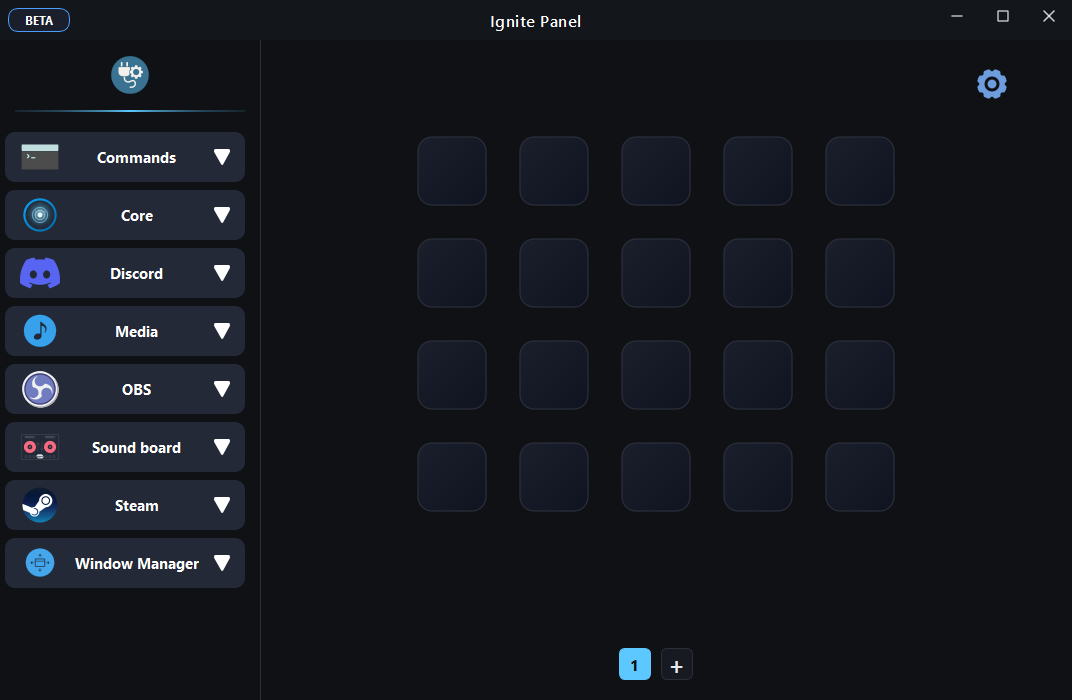
Core Features
Everything you need to supercharge your workflow
Multi-Action
Execute multiple actions with a single trigger.
Smart Shortcuts
Trigger buttons using keyboard, mouse, or both.
Discord Control
Mute, deafen, and join channels instantly.
Quick Board
Floating overlay buttons for instant access.
Window Manager
Move windows across virtual desktops.
Profiles
Create profiles for gaming, work, and more.
Plugin Store
Discover many ready-to-use plugins you can download — here's a glimpse of what's available now.
Spotify
v2.1.0Control playback, volume, and manage playlists directly.
Philips Hue
v1.4.2Control smart lights, scenes, and toggle zones instantly.
System
v1.0.0Shutdown, restart, sleep, and shell scripts.
Twitch
v3.0.1Manage stream stream markers, clips, and ads.
Audio Mixer
v1.2.5Per-app volume control and output switching.
HWMonitor
v2.0.0Monitor CPU/GPU temps and load in real-time.
Discord
v4.1.0Advanced rich presence and voice controls.
Spotify
v2.1.0Control playback, volume, and manage playlists directly.
Philips Hue
v1.4.2Control smart lights, scenes, and toggle zones instantly.
Timer
v1.1.0Countdown timers and stopwatches with alarms.
Screenshot
v1.0.3Instant partial or full screen captures to clipboard.
Notes
v0.9.5Quick sticky notes pinned to your overlay.
YouTube
v2.0.0Chat viewer and stream stats overlay.
Browser
v1.5.0Mini web browser for quick lookups.
Calculator
v1.0.0Scientific calculator with history support.
Color Picker
v1.2.0Pick colors from anywhere on screen.
Timer
v1.1.0Countdown timers and stopwatches with alarms.
Screenshot
v1.0.3Instant partial or full screen captures to clipboard.
Quick Board
Access your favorite actions instantly with floating overlay buttons.
- Always on top overlay
- Customizable grid size
- Toggle with hotkey
Turn Ideas into Reality
You don't need to be a pro. With basic skills or AI assistance, you can build powerful plugins in minutes.
Follow our step-by-step guide to create your first plugin, then upload it here to share it with the world in the Store.